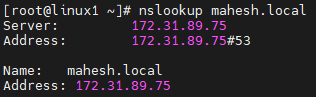
✅ As part of Prerequisites, Set up Active Directory Domain Services (AD DS):
- Installed AD DS on the Windows server.
- Set up the domain:
mahesh.local.
- Promoted the server as a Domain Controller.
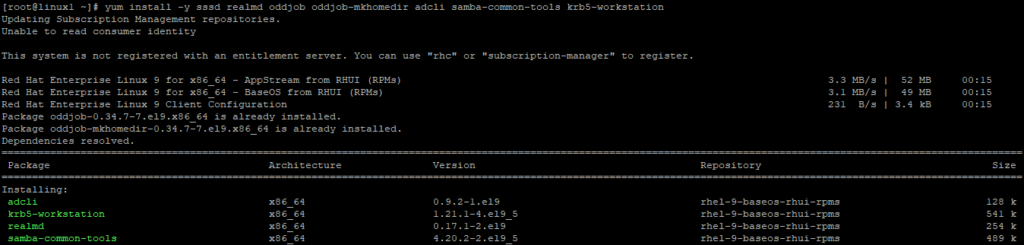
✅ Install required packages on the Linux machine:
✅ Configure hostname on the Linux machine.

✅ Update the /etc/hosts file: Append the following lines:
172.31.93.177 linux1.mahesh.local
172.31.89.75 DC.mahesh.local

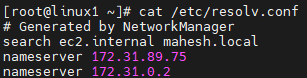
✅ Update the /etc/resolv.conf file: Append the following lines:
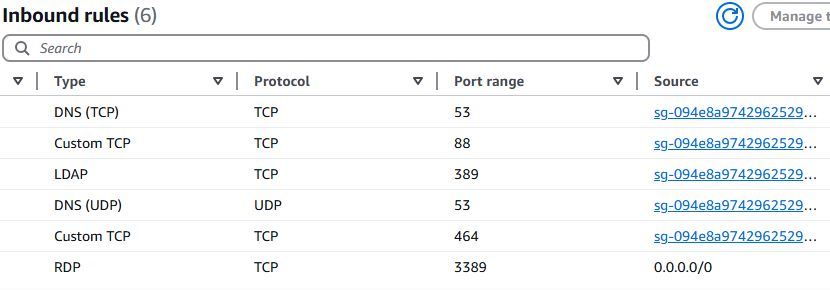
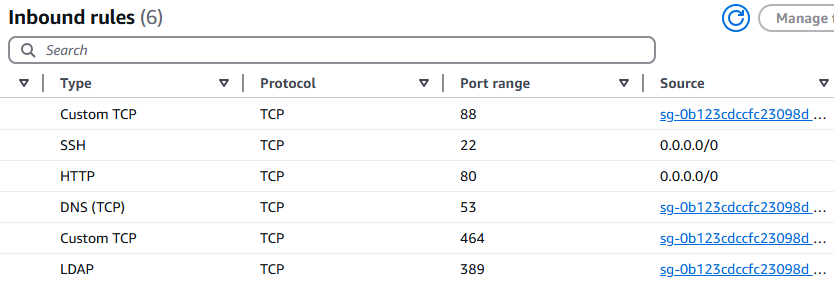
✅ Allow the following ports in the security group settings for Windows and Linux servers to ensure the required services function correctly.
✅ Ensure DNS resolution works.